
Locating a correct Cengage Answer Key is vital to students who need to confirm their progress with the help of such platforms as MindTap, WebAssign, SAM and Aplia. Although master solution keys are usually limited to the instructors in order to protect academic integrity, correct answers can still be given by the students using legal built-in functionality, like post-submission feedback, student study guides, and diagnostic reports.
Using these digital resources effectively allows you to cross-reference your work and reinforce your understanding of the material. This all-encompassing resource serves as an exploration of practical ways of finding the correct Cengage solutions so that you can fill the gap that exists between the difficult assignments and academic achievement.
Key Takeaways
- Check the review section (e.g. WebAssign gradebook access) to get access to an official Cengage answer key, and after assignment deadlines have elapsed.
- Use companion study guides for legitimate, step-by-step MindTap solutions to practice problems and odd-numbered exercises.
- Determine the right answers with the help of post-submission reports to comprehend certain mistakes and check your reasoning.
- Use the solutions provided as learning tools and the Cengage instructor manual to close the knowledge gaps and prepare for proctored exams.
- Seeking the assistance of professional tutors is one sure way of finding the correct answers and having profound conceptual knowledge.
What Is a Cengage Answer Key?

Simply put, answer keys are the correct answers to different questions. When it comes to the Cengage platform, students are assigned numerous assignments, and their knowledge is often tested.
Despite the fact that the online platform plays a significant role in enhancing students’ skills, they have a tough time writing Cengage assignments or finding the correct Cengage exam answers. As a consequence, they look for keys to find assignment answers and ease through the entire process.
The question is whether students can access SAM Cengage exam answers or not. We don’t want you to remain hopeful that you can get correct answers. The keys to Cengage quizzes or Cengage tests are with your instructors, but they are not available for students.
You can ask your instructor for them after you have attempted the questions. However, a few other ways exist to ease through the Cengage course and find correct assignment answers.
So, don’t get disappointed. Read on to learn how to edge over others and find the correct Cengage test answers. Also, can you find Cengage answer keys for accounting and other subjects?
Where Can You Find SAM Cengage Answers?
On the portal, to obtain your SAM Cengage answer keys, do the following:
- Log In: Log in to your student account in the SAM Cengage official site or in your schools LMS (Canvas, Blackboard, etc.).
- Access Reports: Go to the “Reports” or “Results” tab on your main dashboard.
- Select Assignment: Choose the specific course section and locate the assignment you want to review.
- Create Report: Click on the Report button beside the name of the assignment. This will generate a graded file or a study guide report.
- View Solutions: For projects, download the “Grading Report” to see specific annotations on your work. You also can have a solution file link available to you if the instructor has made it available and it contains the final and correct version of the project. In case of exams, the “Study Guide Report” will provide all the activities and the right procedure to be applied for those you missed.
Why Can’t I See the SAM Answer Key?
If you can’t see SAM Answer Key, consider these common troubleshooting steps:
- Pop-up Blockers: SAM reports usually open in a new window; ensure your browser is not blocking them.
- Instructor Settings: Lots of instructors turn off keys until a specific date, which is known as the Report Availability date, i.e. the keys will not appear before the deadline of the whole class is met.
- Submission Thresholds: In certain sections, the buttons to view the questions are hidden until a certain point of the score has been reached or until all the attempts have been used.
- App Dock Workaround: If the button is missing in your standard view, try accessing the “Reports” tab directly from the SAM App dock in MindTap.
Please note that You cannot see or get SAM Cengage math answers or Cengage MindTap answers until you have finished and submitted the task. In addition, you will be able to access them only when your instructor allows you to.
However, many students consider cheating to find out Mindtap Cengage quiz answers, but it’s not ethical, and Cengage can detect such actions using various anti-cheating tools and monitoring systems.
How Can I Get Help with Getting Cengage Homework Answers?
There are numerous ways you can get help finding the right Mindtap Cengage answer keys for homework solutions. The most effective way to get the correct answers to Cengage questions is to use the tools provided by a particular Cengage platform. Here is how you can find answer keys and guidance for MindTap, SAM, Aplia, and WebAssign.
MindTap Answers
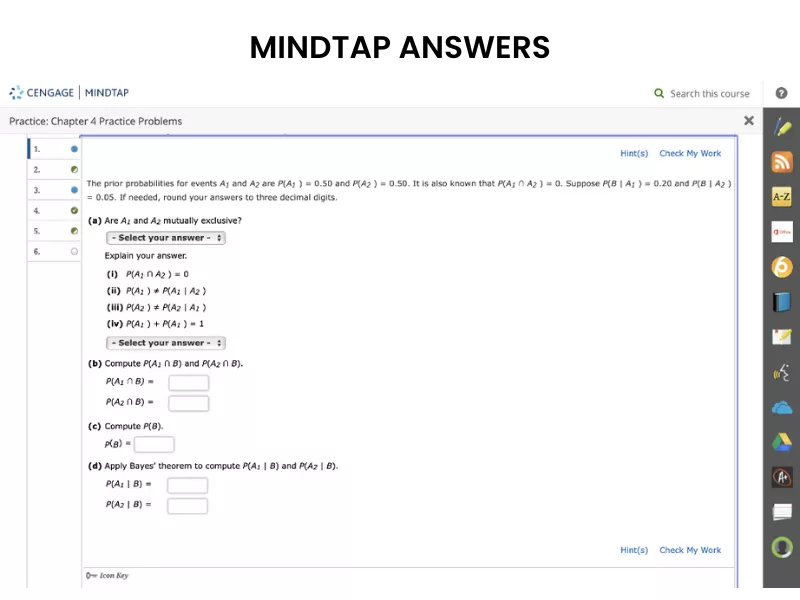
Mindtap Cengage answer keys are largely accessible through integrated study tools. Since MindTap is connected directly to your textbook, you can use the platform’s diagnostic features to verify your logic:
- Show Me How & Hints: Use these within homework assignments for step-by-step video tutorials and clues that lead to the correct solution.
- Integrated E-Book: Click the “Read” icon next to questions to jump to the exact text explaining the solution logic.
- Flashcards & Practice Quizzes: Found in the App Dock, these provide immediate access to Mindtap Cengage quiz answers for non-graded practice.
SAM (Skills Assessment Manager) Answers
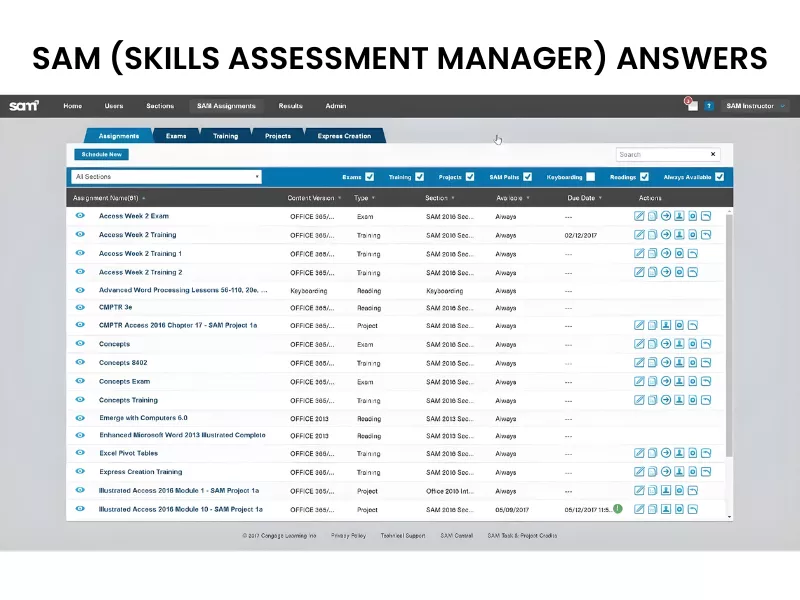
Accessing SAM Cengage answer keys requires using the Reports tab to analyze submitted work. This platform focuses on practical application in Office software:
- Grading Reports: Download these after submission to see specific annotations on exactly where your project differs from the key.
- Solution Files: When enabled by instructors, these provide a downloadable version of the finished project to verify formatting and formulas.
- Study Guide Reports: These list every incorrect task from an exam and link you to the training module to find the correct SAM Cengage math answers.
WebAssign Answers
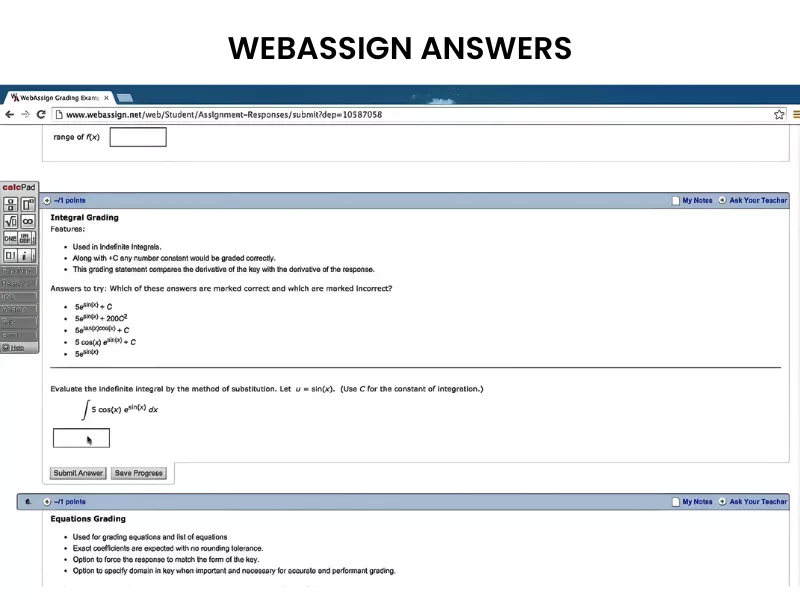
WebAssign is primarily used for math and science, where the focus is on procedural accuracy. Finding the correct keys usually happens during the practice phase:
- Practice Another Version: This allows you to attempt a problem with different numbers; once finished, it reveals the step-by-step solution.
- View Key: For many assignments, the answer key becomes visible in the “Assignment Block” only after the submission deadline has passed.
- Watch It: Many problems include a video link that walks through the exact steps required to reach the correct Webassign answers.
Aplia Answers

Aplia focuses on economics and business courses, prioritizing immediate feedback and conceptual mastery:
- Grade It Now: If this feature is active, you receive immediate explanations and the correct Cengage brain quiz answers after each question attempt.
- Detailed Explanations: After submitting a problem set, Aplia provides a “Feedback” section that outlines the reasoning behind the correct response.
- Three-Attempt Logic: Use the feedback from your first attempt to correct your logic for the subsequent two, ensuring you find the final answer.
These features ensure you gain the conceptual clarity needed to find correct solutions to your Cengage tasks while remaining academically honest. Also, reviewing Cengage’s user guides and support pages can help you bridge knowledge gaps regarding platform functionality, ensuring you know exactly where to find feedback and grading reports.
If you need extra help, you can drop a ‘pay someone to take my online class’ query at Assignments4u to get personalized help!
Our Case Study on How We Helped a Business Finance Student Navigate the Cengage ‘Aplia’ Assignment Interface
Struggling with Cengage’s complex ‘Aplia’ interface and algorithmic finance problems, a student turned to Assignments4u for support. Our PhD experts provided step-by-step solutions, navigated the tricky LMS, and ensured 100% accuracy on high-stakes assignments. The result? A jump from a failing grade to a solid A, saving the student over 15 hours of weekly stress.
Can Hiring Experts Be of Any Use?
Hiring professional help can transform your academic journey from a stressful race against deadlines into a streamlined path to success. While platforms like Cengage MindTap offer great resources, they often fall short when you encounter complex, high-stakes assignments. You can ever get additional helps like a personalised Edmentum Answer Key along with Mindtap solutions.
The table below provides a side-by-side comparison of the available learning methods to get Cengage MindTap homework answers: Let us elaborate:
| Benefits | In-Built Study Tools (MindTap) | Static Study Guides | Expert Assistance & Tutors |
| Personalization | Low; based on automated algorithms. | None; cengage textbook answers only offers one-size-fits-all summaries. | High; tailored to your specific weak points. |
| Problem Solving | Limited to pre-set hints and templates. | Only covers general concepts. |
Solves specific, complex homework & exam questions including:
|
| Explanation Depth | Basic “why this is wrong” feedback. | Surface-level overviews. | In-depth, step-by-step logic and conceptual clarity in cengage assignment answers. |
| Grade Assurance | No guarantee; depends on your effort. | No guarantee; depends on retention. | Direct Path to A+ grades with verified accuracy. |
| Time Efficiency | Time-consuming; requires hours of self-study. | Moderate; requires manual searching. | Instant cengage learning answers; saves hours of trial and error. |
| Complexity | Best for foundational learning. | Best for quick revision. | Best for advanced topics & “unsearchable” questions. |
Beyond simply getting the right answers or using, hiring a professional tutor or expert offers unique advantages that automated systems cannot replicate. You can connect with a well-known website to get the answers to all Cengage problems and the best assignment help.
Assignments4u: The Best Place to Get Help with Cengage Tasks
With a team of 750+ PhD experts and an experience of more than 10 years, we have proved to be the best company to help students find their way to good grades. You can hire one of our experts to find the Cengage answers and score well on the tests.
We are available 24/7 to answer all your queries and help you overcome the odds. You can drop a query at any point in time to get the help you want. Ace your Cengage test with expert assistance. Forget about SAM Cengage cheat shortcuts and hire an expert Cengage solver today!
Frequently Asked Questions
Are Cengage tests timed?
The Cengage tests and exams are timed. You get around 50 minutes to complete answering the questions.
Can your teachers see if you are cheating on Cengage?
Yes, your teachers can see if you are cheating. All online tests are proctored. Therefore, students are advised not to cheat on online tests.
Is there a universal Cengage answer key?
No. Most Cengage platforms, including MindTap and Aplia, use algorithmic randomization. This means that while the question structure remains the same, the numbers and variables change for every student. Consequently, a single, static answer key does not exist for numerical or data-driven assignments.
Can teachers see if you use an answer key?
No! Teachers can not see if you use any answer key. However, instructors can have suspicion as they have access to analytics dashboards that show “time-on-task.” If a complex problem is solved in seconds, or if your answers match the specific formatting or common errors found in public online “leaks,” it triggers a red flag.

Want To See My Profile — Check Now
- Can You Get Edmentum Answer Key? All Myths Busted - June 27, 2026
- How to Get the Correct Cengage Answer Key: A Comprehensive Guide for 2026 - January 16, 2026
- Can Socrative Detect Cheating? Your Guide to Ace Exams - January 7, 2026


