
WileyPLUS by Wiley is a popular LMS in the US curriculum. Institutions prefer this platform to assign various assignments, including course homework, quizzes, tests, and practice assessments, to students. It also features eTextbooks. Students generally get started with this platform through their instructor’s course links or directly via the school’s LMS. In this WileyPLUS guide, we have covered everything from setup and cost to assignment types, attempts, and deadlines. We have also broken down the study methods and the rules that apply to your course. Keep reading to become fully informed!
Key Takeaways on WileyPLUS Guide
- To access WileyPLUS, you have to register your student account through the instructor-provided course link and the school email address.
- You generally have to pay for WileyPLUS. However, your course will offer a 14-day grace period that lets you start for free.
- WileyPLUS gives instructors full control over the coursework settings, from attempts to partial-credit standards for assignments.
- Your work is generally saved and scored by the system by the deadline. However, some instructors allow late submissions.
- The platform features Adaptive Practice. It targets your weak topics and helps students with exam preparation.
What Is WileyPLUS?
WileyPLUS is basically courseware that integrates with LMS systems. John Wiley & Sons, the publisher based in Hoboken, New Jersey, has developed it.
It features Wiley textbooks with online assignments. This platform is popular for delivering courses like accounting and physics. Some title examples are Weygandt’s Accounting Principles or Halliday’s Fundamentals of Physics.
There are Old and New WileyPLUS. If you’re asked to choose a platform, pick the one your instructor names.
How Does WileyPLUS Work?
In WileyPLUS, your instructor designs a course. They assign tasks with deadlines for students. Then, you have to complete them online. As you solve the questions, the system will auto-grade the answers and offer instant feedback.
WileyPLUS also connects to Canvas, Blackboard, D2L Brightspace, and Moodle. Your achieved scores sync automatically to your school’s gradebook in connected courses.
How Do I Get Started With WileyPLUS for My College Course?
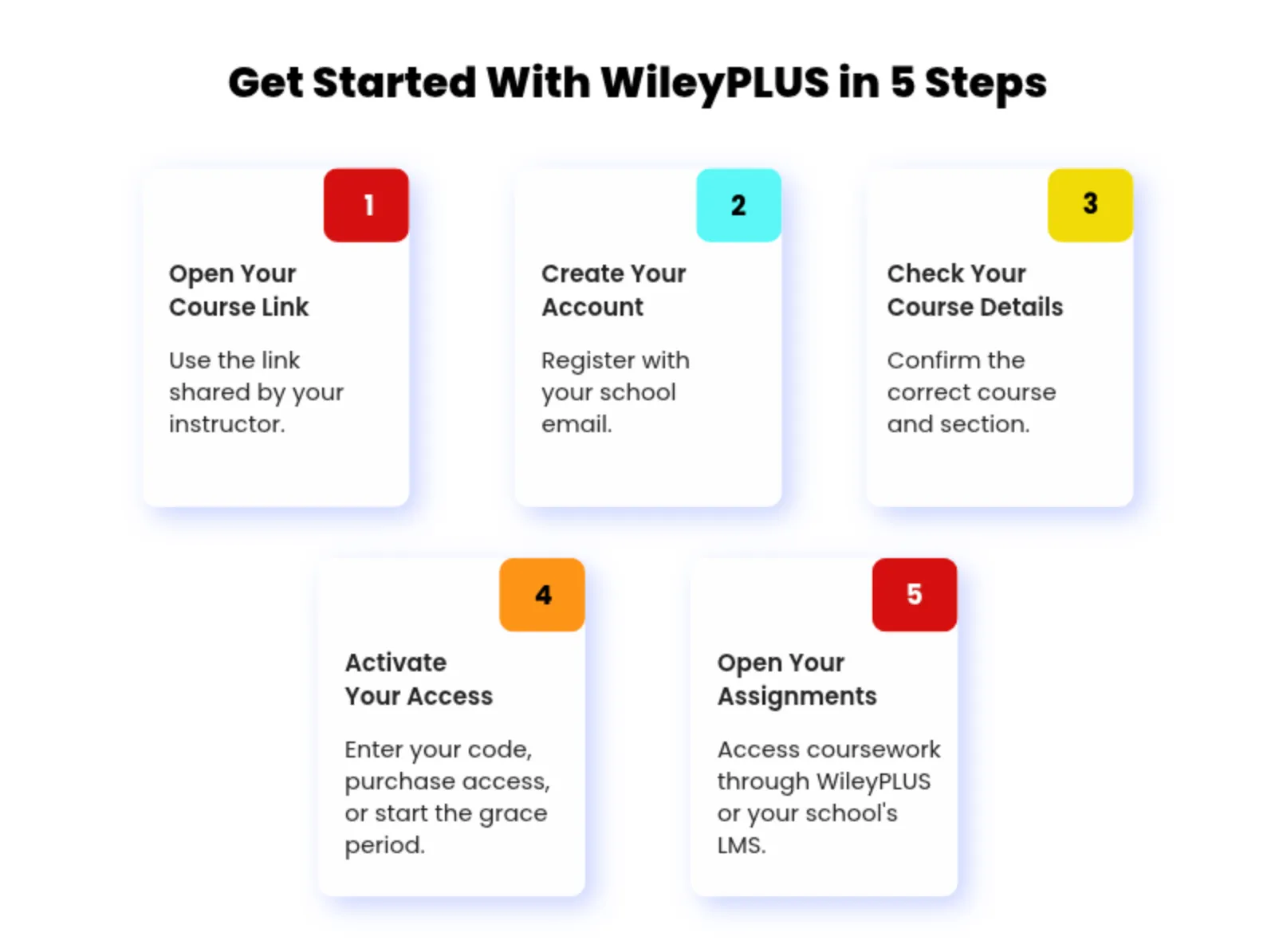
You can see your course’s setup in your syllabus. Here’s how to get started:
- Click on the course link: Your instructor shares a direct WileyPLUS URL.
- Access the LMS: Open WileyPLUS from inside Canvas, Blackboard, or another LMS.
Important note: You need to use your school email to register. Some instructors match accounts to class rosters. Your homework credit may be at risk due to an account mismatch.
Now let’s answer some common queries regarding how to start with WileyPLUS:
a. How to Register for a WileyPLUS Course with a Course Link?
- Open the course link.
- Create an account and sign in with your Wiley account.
- Confirm the course name and section.
- Enter a code, buy access, or start a grace period.
b. What If You Registered in the Wrong Section or Your Code Won’t Work?
Check that the course name and section match your syllabus before submitting your work. Also, type the code exactly as printed. Reach out to your instructor or WileyPLUS Support in case the code fails to process.
c. How to Access WileyPLUS Through Canvas?
If the Canvas course is connected, you will automatically see the WileyPLUS link for assignments. Click any, and you will be redirected to the WileyPLUS courseware.
On the first visit, you may be asked to sign in or create an account. After choosing an access option, your account will be synced with the Canvas course. For next log-ins, Canvas recognizes your WileyPLUS account for that course.
d. How Do I Open My WileyPLUS Assignments from Canvas or Blackboard?
In Canvas:
- First, go to “Assignments” or “Modules”
- Then, select the WileyPLUS assignment
- Finally, click “Open Assignment.” It opens in a new tab.
In the case of Blackboard:
- First, open the content area or folder where your instructor posted the WileyPLUS links
- Click any link
- Sign in and enter an access code.
e. WileyPLUS Assignment Won’t Open – What to Do?
First, scroll down and find the “Open Assignment” button. Click on it. If the link doesn’t open in a new window, then open it in a new tab by clicking the launch button.
Always use a current version of your browser, preferably Chrome, Firefox, Microsoft Edge, or Safari. If the issue remains, contact your school’s LMS help desk.
What Is Assignment Zero in WileyPLUS and Do I Have to Complete It?
A WileyPLUS Assignment Zero is an orientation task. Instructors often add this assignment at the start of the term. Here is the purpose:
- Verifies your registration
- Provides short self-training on answer entry
- Catches setup problems early
In some cases, you may find it in your gradebook. You have to complete it, as it may carry points. Some students even seek professional accounting assignment help to get their Assignment Zero as well as their homework done.
How Much Does WileyPLUS Cost?
The price of WileyPLUS depends on the textbook. It also varies by purchase option. For example:
| Access option | How it works |
|---|---|
| Registration code | Bought at the campus bookstore or bundled with a new textbook |
| Instant access | Purchased online during registration |
| Inclusive Access | Some schools add the cost to tuition or course fees |
| Grace period | Temporary free access, where your course offers it |
Note: used and rental textbooks don’t include valid WileyPLUS codes.
Can I Still Access My WileyPLUS Course During the Free Grace Period Before Buying Access?
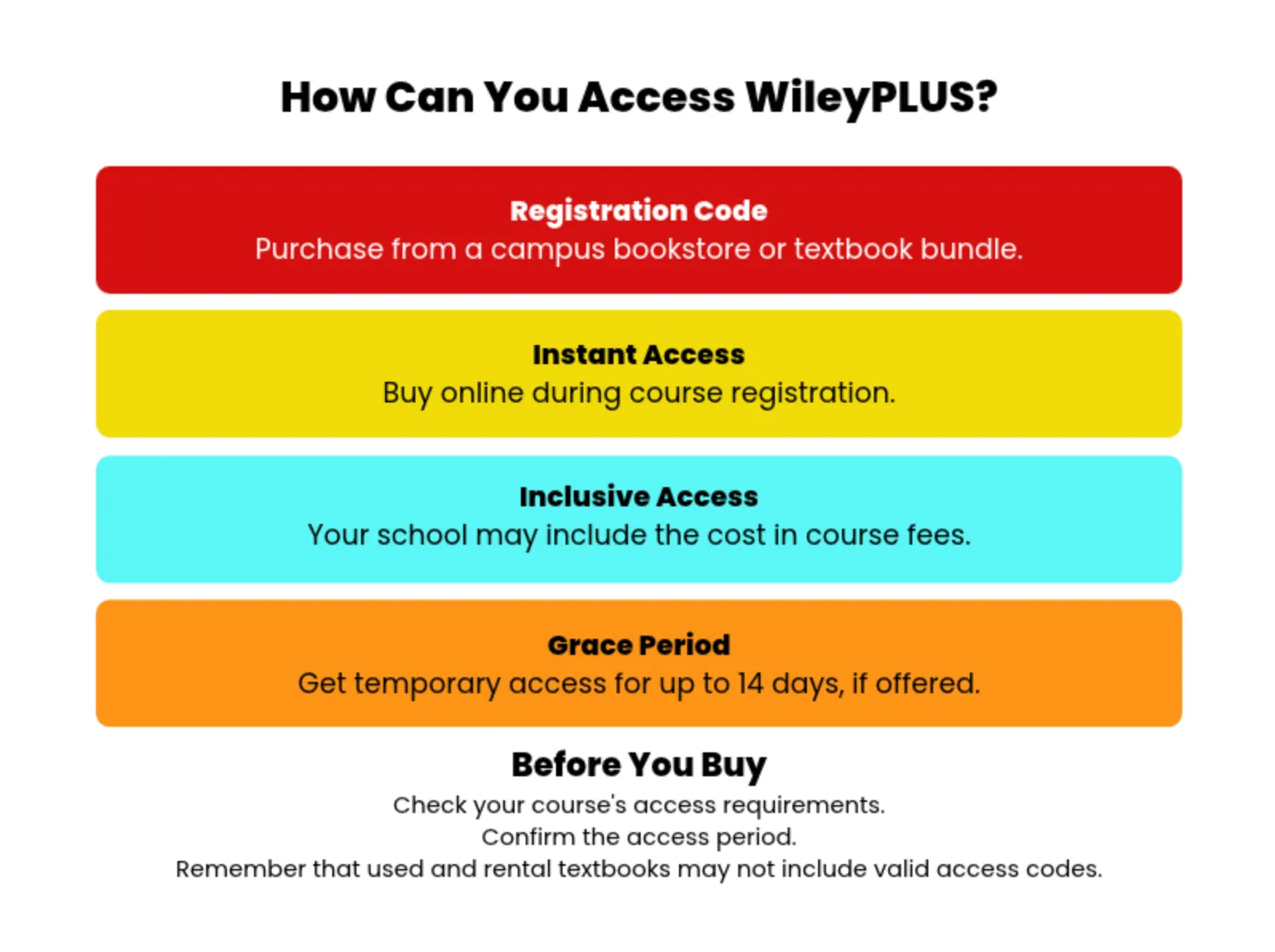
Yes, if your course offers it. Is WileyPLUS free? Only during the grace period, unless your school covers it through Inclusive Access. Important things to note:
- The grace period lasts up to 14 days from when you register.
- After that, you’re locked out until you enter a code or buy access.
- In many courses, your grace-period work carries over once you buy.
How to Use WileyPLUS: Navigating Your Course
Your main workspace is the course home. You need to pay attention to the following three areas:
- Assignment list: Here you can view the status and due date of each assignment.
- Modules: You will find the eTextbook sections, videos, and practice assessments. All are grouped by chapter.
- Assignment details: Remember to go through your instructor’s rules for the particular assignment.
What Are the WileyPLUS Assignment Types?
There are different types of assignments in WileyPLUS. For example:
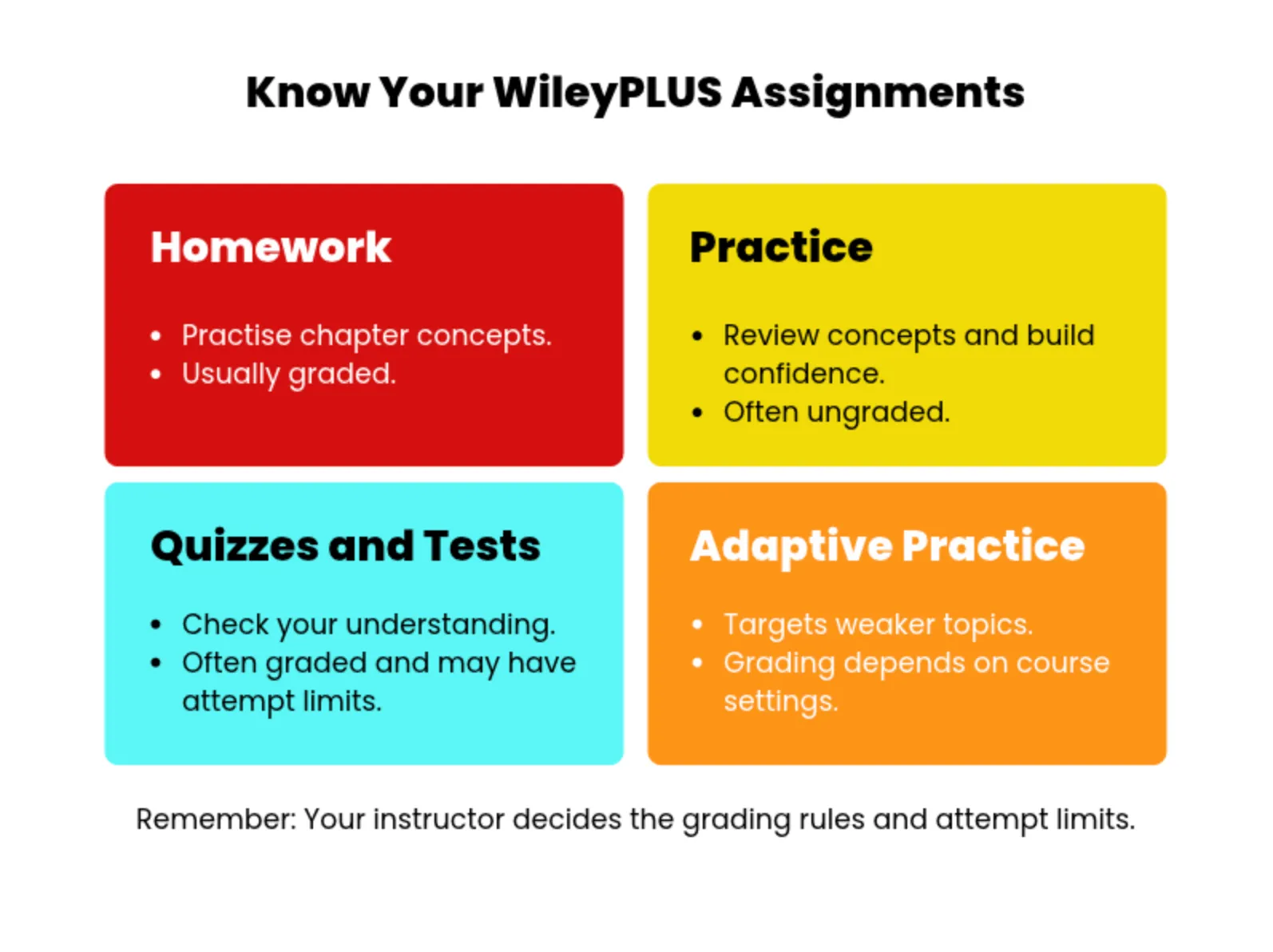
| Type | Purpose | Usually graded? |
|---|---|---|
| Homework | Problem sets tied to chapters | Yes |
| Practice | Low-stakes review questions | Often not |
| Quizzes and tests | Timed or limited checks | Yes |
| Adaptive Practice | Questions that adjust to your skill level | Depends on instructor |
WileyPLUS adaptive practice assessment can be either graded or non-graded, depending on the instructor’s choice!
How Does Adaptive Practice in WileyPLUS Work and Is it Worth Doing?
In WileyPLUS’s Adaptive Practice, the questions automatically adjust to your answers. The system generates problems targeting topics where you struggle.
Depending on your course, it may appear as ORION Adaptive Practice or as Adaptive Assignments, which use Knewton technology.
In newer Adaptive Assignments, your highest progress determines your final score.
It is definitely worth doing, as it helps you fill your knowledge gaps through practice. Plus, it is low-stakes, and you get to master the weak topics before an exam.
How Many Tries Do I Get on a WileyPLUS Homework Question?
There’s no fixed number. How many attempts do you get on WileyPLUS depends on your instructor’s settings. You may have unlimited tries in practice sets. However, graded work comes with limited attempts. Always check these before starting:
- The number of WileyPLUS attempts allowed per question
- Whether there’s a degradation of points with each extra try
Between tries, read the feedback. By checking errors in units, signs, and rounding, you avoid wasting attempts.
How to Make the Most of WileyPLUS Feedback After Each Assignment?
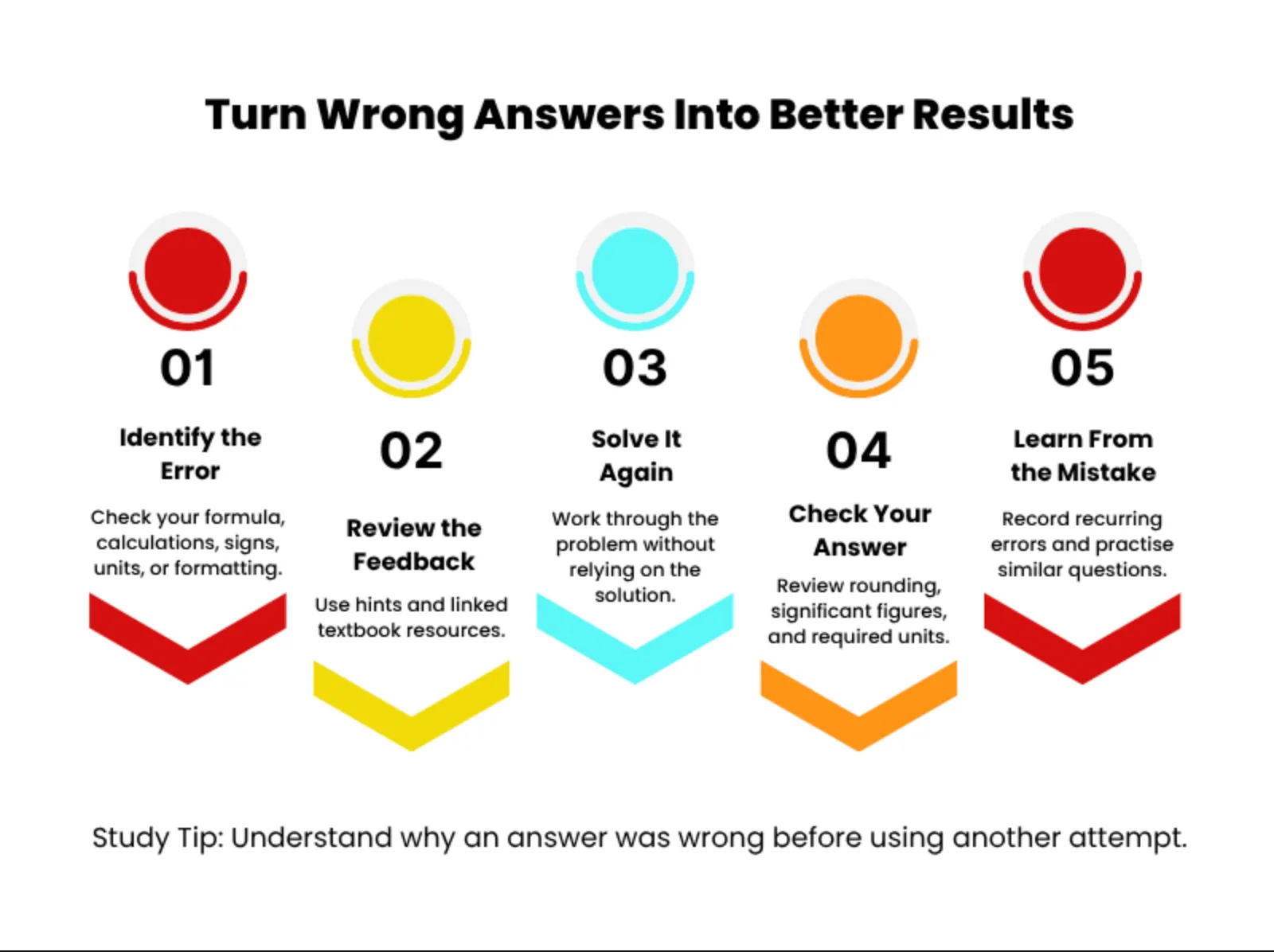
If WileyPLUS indicates that a question is incorrect, do not guess the same answer over and over. Correct the approach using the system feedback before making another attempt:
- Determine the type of error: Conceptual, algebra/calculation, wrong formula, or formatting error.
- Check linked resources: At the end of the question, click on the “Link to Text” or “Solution Walkthrough” icons to view the corresponding eTextbook paragraph or video.
- Retry without notes: Close the feedback window and try to re-solve the problem without using the hints, on scrap paper.
- Identify patterns of errors: See if you are making the same errors over and over again, for example, with multiple-step equations or unit conversions.
- Test your understanding: If your instructor enables “Try Another Version,” generate a new algorithmic variant to confirm you understand the method.
How to Fix Common WileyPLUS Homework Errors?
Points or attempts can be lost on formatting problems and technical glitches. To troubleshoot errors before submitting answers, use this table:
| Errors | Why Happens | Fix |
|---|---|---|
| Answer format error | Incorrect data type or unit | Look for a fraction, decimal, or percentage question. Write units in the prompt exactly as they’re written (e.g., m/s, not meters per second). Remove extra spaces. |
| Marked incorrect on correct math | Precision, rounding, or sign | Check negative signs. For strict rounding rules, check for phrases like “round to two decimal places”. WileyPLUS typically sets a tolerance range (typically ±1%). Check significant figures. |
| Unresponsive questions | Browser freeze or script error | Click the refresh page or close and reopen the assignment. WileyPLUS will save your answer as you type, but be sure that the previous answer is visible before typing again. |
| Missing submission | Incomplete final step | Review the status of the assignment on the assignment dashboard. Be sure that multi-part questions appear as recorded. If the assignment must be “Submitted Assignments,” then confirm it before leaving. |
| Persistent technical bugs | System or question error | Make a full-screen screenshot of the Question ID, your answer, and the error message. For wording/content questions, please consult your instructor or WileyPLUS Support. |
WileyPLUS Deadlines: What Students Need to Know
Each assignment has its own due date and time. You’ll see it on the assignment list and, in connected courses, in your LMS.
- By default, WileyPLUS saves and scores your work up to the deadline. Late work counts only if your instructor allows it.
- In LMS-connected courses, instructors manage due dates from the LMS.
- Server problems can happen, so don’t wait until the last hour.
If deadlines keep slipping, these steps can help you stop procrastinating on assignments.
What Happens If You Miss a WileyPLUS Deadline?
When you miss a deadline, your assignment usually closes. Also, you earn zero on the unanswered questions.
What to do next?
- Your syllabus generally comes with the late-work policy. Go through it.
- Email your instructor quickly if you are thinking about requesting an extension. Sometimes, instructors can extend dates if a student makes a request with genuine reasons.
What Happens if I Submit a WileyPLUS Assignment After the Due Date?
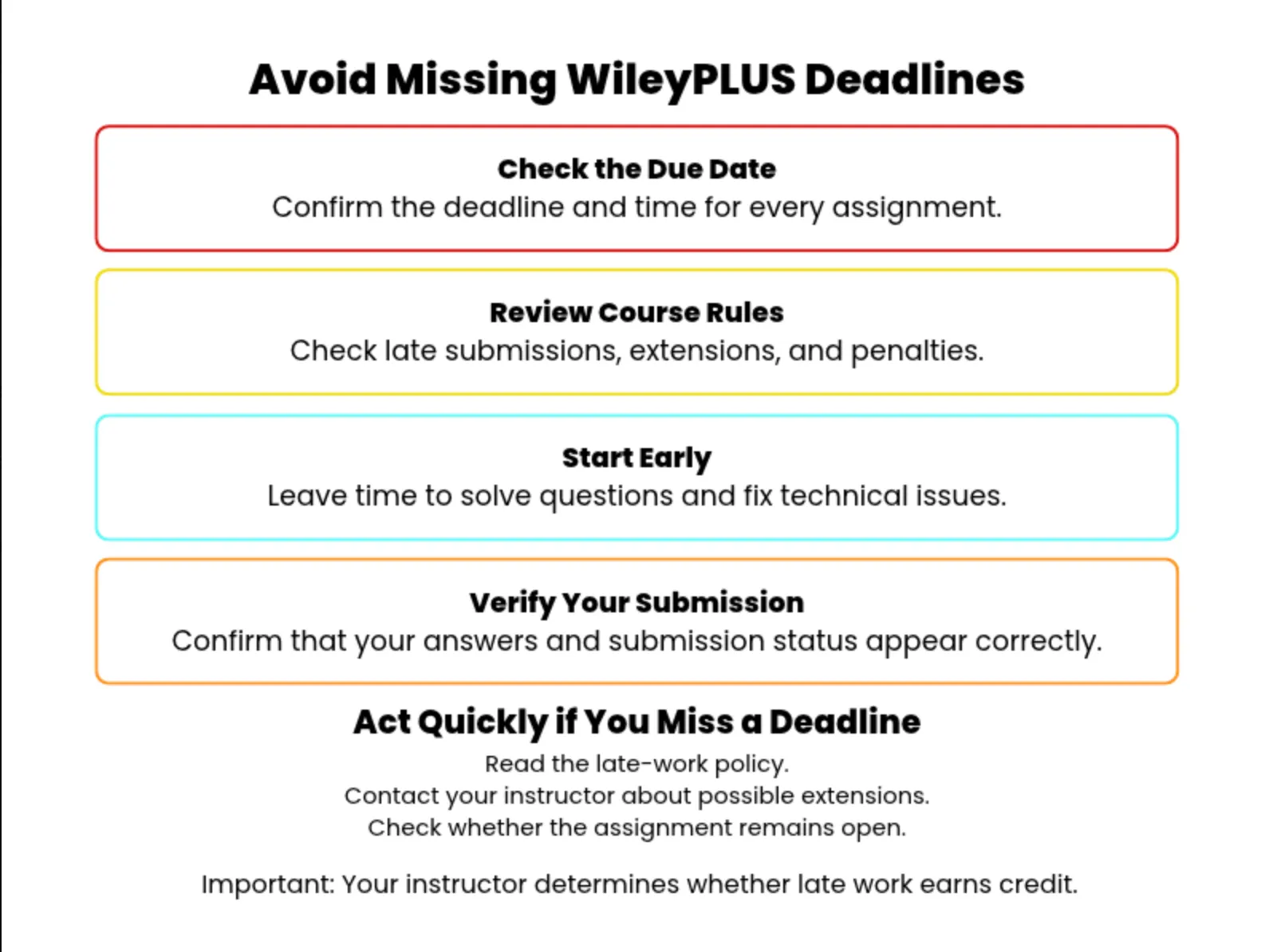
WileyPLUS late submission rules usually take one of three forms:
- The assignment locks at the deadline.
- Submission is still possible. However, it will reduce the credit.
- You can only review undone questions and feedback (if any). However, you will not be able to earn points.
Therefore, the answer to can you submit WileyPLUS homework after the due date depends on your instructor. If you want to avoid missing deadlines, especially when you are overwhelmed with other tasks, you can simply pay someone to take my online class and do my homework so that your academic performance stays on track and your GPA remains unaffected.
How to Understand Your WileyPLUS Grades and Progress
WileyPLUS also provides a chapter-by-chapter gradebook. Interpret your scores using these steps:
- Earned vs. total points: In multi-part questions, points are split between the input fields. Make sure to review raw points and not just the percentage.
- Incomplete assignments: Check for any assignments labeled “In Progress. If a question is not answered by the due date, it will score a zero automatically.
- Gradebook differences: There might be an initial delay in score matching from WileyPLUS to your LMS (Canvas, Blackboard, etc.). It may take 24–48 hours for LMS grade synchronization. LMS may also have manual instructor adjustments, course weight, or drop lowest scores.
- Progress tracking: Check chapter summary scores. Recognize if lower marks are assigned for certain types of questions, e.g., multi-part questions or conceptual quizzes.
- Next steps: Make sure to focus on the chapters or sub-topics that you are not doing very well before your next graded quiz or exam, or get assignment help.
How to Get WileyPLUS Answers Right? Quick Study Strategies
Here are some quick WileyPLUS study strategies to get your answers right:
- Do not skip reading: Do not open the assignments directly. First, read the textbook chapter. Grasp the knowledge first so that you can start answering confidently.
- Don’t exhaust yourself: No need to complete the whole assignment at once. The smart approach is to break it into smaller parts so your brain stays fresh. It also helps steer clear of making careless mistakes.
- Watch the videos: Watch WileyPLUS’s built-in video clips whenever you get stuck on a problem. You will get a step-by-step explanation of hard topics.
- Track your mistakes: Write down any question you get wrong. Note why you missed it so you do not make the same mistake again.
Apart from these, you can also seek professional WileyPLUS homework help to get your answers submitted correctly. The experts will ensure you get top grades while ensuring faster completion of the coursework.
What’s the Best Way to Use WileyPLUS to Prepare for Exams?
Knowing how to study for exams using WileyPLUS starts with your score data. Try this plan two weeks out:
- List the chapters with your lowest gradebook scores.
- Run Adaptive Practice on those chapters until your progress holds steady.
- Rework questions from your error log without notes.
- Take practice quizzes under timed conditions.
Short on time? Here’s how to cram for a test when the exam is close.
Conclusion
WileyPLUS gets easier once setup is done, and you know your course rules. This week, open your course, finish any orientation task, and note your first three due dates. When you know how to use the platform properly, managing your coursework becomes easier. Plus, whenever needed, consider seeking professional help for your online class tasks.
Frequently Asked Questions
How Long Does WileyPLUS Access Last?
It depends on what you buy. Most titles offer single-term access. Some also offer multi-term access, which covers the course and eBook for the duration of your course. Check the term shown at purchase.
How to Use the eBook on WileyPLUS?
Open it from your course home or chapter modules. Wiley’s Wiley Reader app also lets you read Wiley eBooks on mobile devices and offline.
Can WileyPLUS Detect Cheating During Online Exams?
WileyPLUS itself cannot detect cheating during online exams. However, if the instructor has integrated it with third-party proctoring tools, it can deter a student from cheating with the help of browser lockdown, media access capabilities (e.g. monitoring via webcam and microphone), and other restriction features.
How to Log Into WileyPLUS?
If your course uses an LMS, log in there and open a WileyPLUS link. Otherwise, sign in at wileyplus.com with your Wiley account.
Does WileyPLUS Give Partial Credit?
It depends on the question type and your instructor’s settings. Adaptive Assignments don’t award partial credit.
How to See Your Grade on WileyPLUS?
Open the gradebook or progress area in your course. In LMS-connected courses, the same scores appear in your LMS gradebook.
GET TO KNOW US
Looking for Assignment help to revamp your academic life in the US? If so, then we at Assignments4U can be the game changer. Our proficient team of subject matter expert writers can execute your work within a limited period of time. Tell us your requirement and we will manage the rest ourselves.


Company & Support
100% SECURE PAYMENT

Contact Mon-Sun: 24 Hours
10685B Hazelhurst, Houston, TX, US, 77043
USA- +1-559-742-0021
AUS- +61-390-282-123
FOLLOW US
Disclaimer: The reference papers, case studies, and assignments provided by Assignments4U.com serve as model papers for students and are not to be submitted as they are. These papers are intended to be used solely for research and reference purposes only.

Want To See My Profile — Check Now
- WileyPLUS Guide: How to Use It, Deadlines, and Study Strategies - November 6, 2026
- Online Learning Platforms Explained: A Student’s Guide to LMS Tools - October 27, 2026
- How to Use Canvas LMS: A Student Guide to Assignments, Quizzes, and Grades - October 14, 2026


